
New FanGraphs Lab Tool: Paired Pitches

We’ve released a new tool in the FanGraphs Lab. The Paired Pitches tool is a visualizer that shows how the different pitches that a pitcher throws interact with each other. It measures how much gravity, speed, and movement make each pitch diverge from a common center point. It’s probably easiest to start with a picture. This is Yoshinobu Yamamoto’s pitch mix as shown in the Paired Pitches tool:
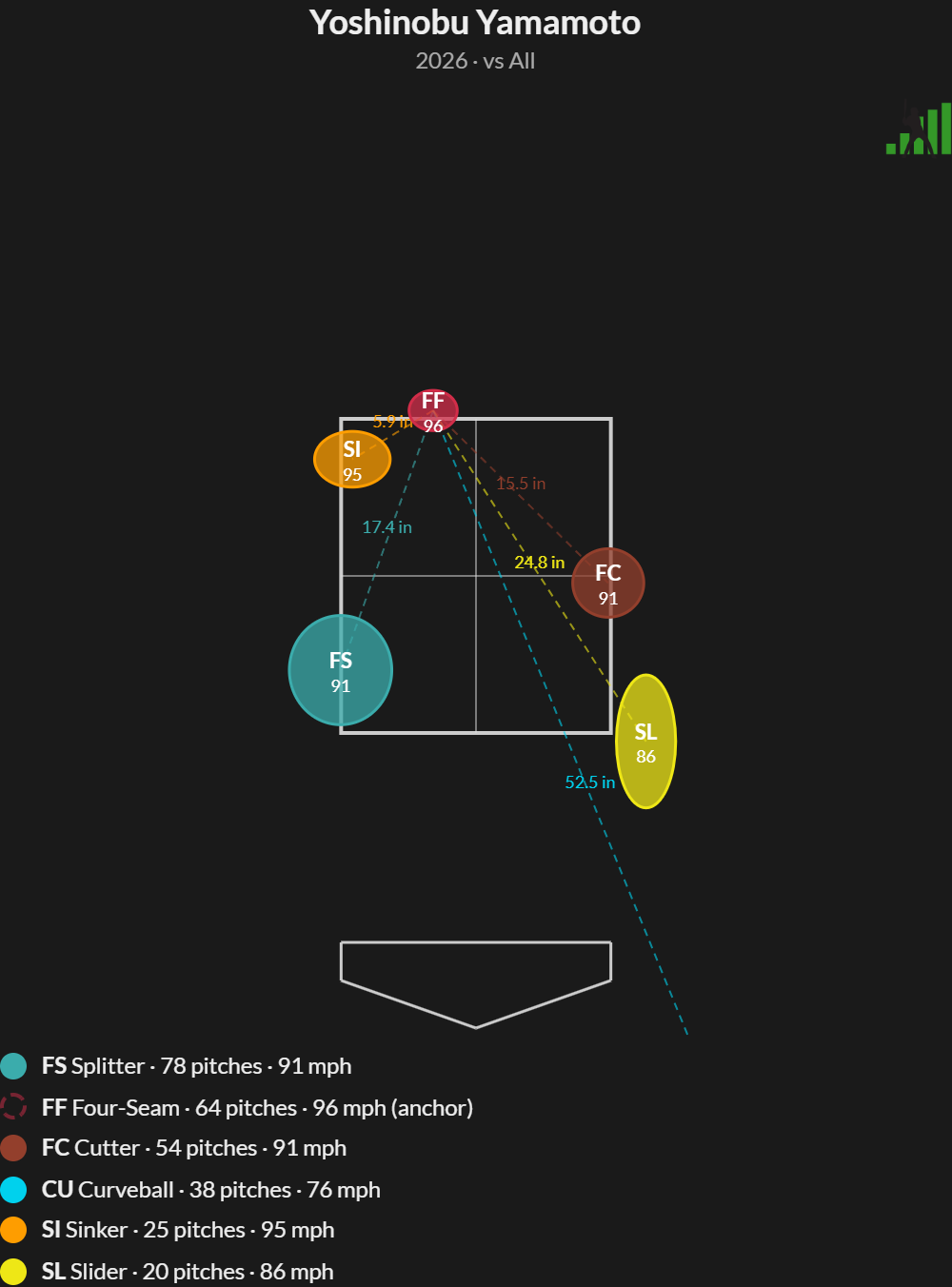
To use the tool, you pick a pitcher, pick a pitch, and then click anywhere on or around the strike zone to locate that pitch. The tool then locates every other pitch the pitcher throws in relation to that pitch. You can drag any pitch in the resulting graphic to move the locations around, and they’ll remain paired with each other, with the same relative movement distribution:
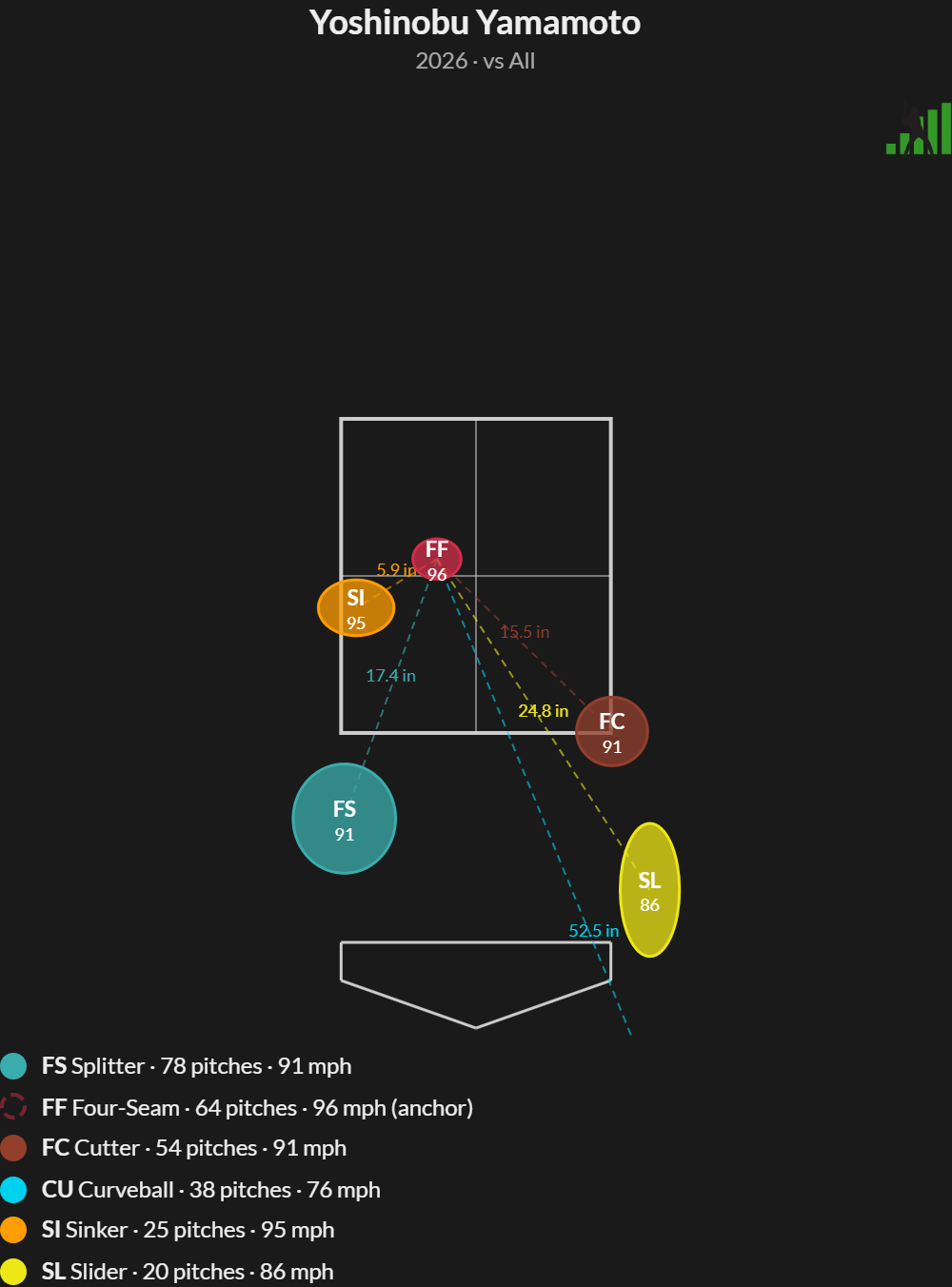
If you’re wondering why a hitter might swing over a Yamamoto slider in the dirt, it’s because its initial trajectory looks a lot like a middle-middle fastball. If you’re wondering why they might take a cutter on the corner, well, it’s because it looks a lot like a slider in the dirt.
Now for a quick math interlude: The way this tool works is by assuming that each pitch is released from a distinct release point, but aimed so that they would intersect at the same point on the two-dimensional plane of the strike zone if they continued traveling from their release point to home plate with no effects from spin or gravity. Think of it as where a pitch would “go” if you just drew a straight line in the direction the ball is moving immediately upon leaving the pitcher’s hand.
Conveniently enough, that idea of measuring movement in comparison to an imaginary, no-acceleration world and plotting intersect points at home plate is exactly how the math of pitch movement already works. The Paired Pitches tool just does the math for every pitch as though they were “aimed” at a point that puts the anchor pitch wherever you want it.
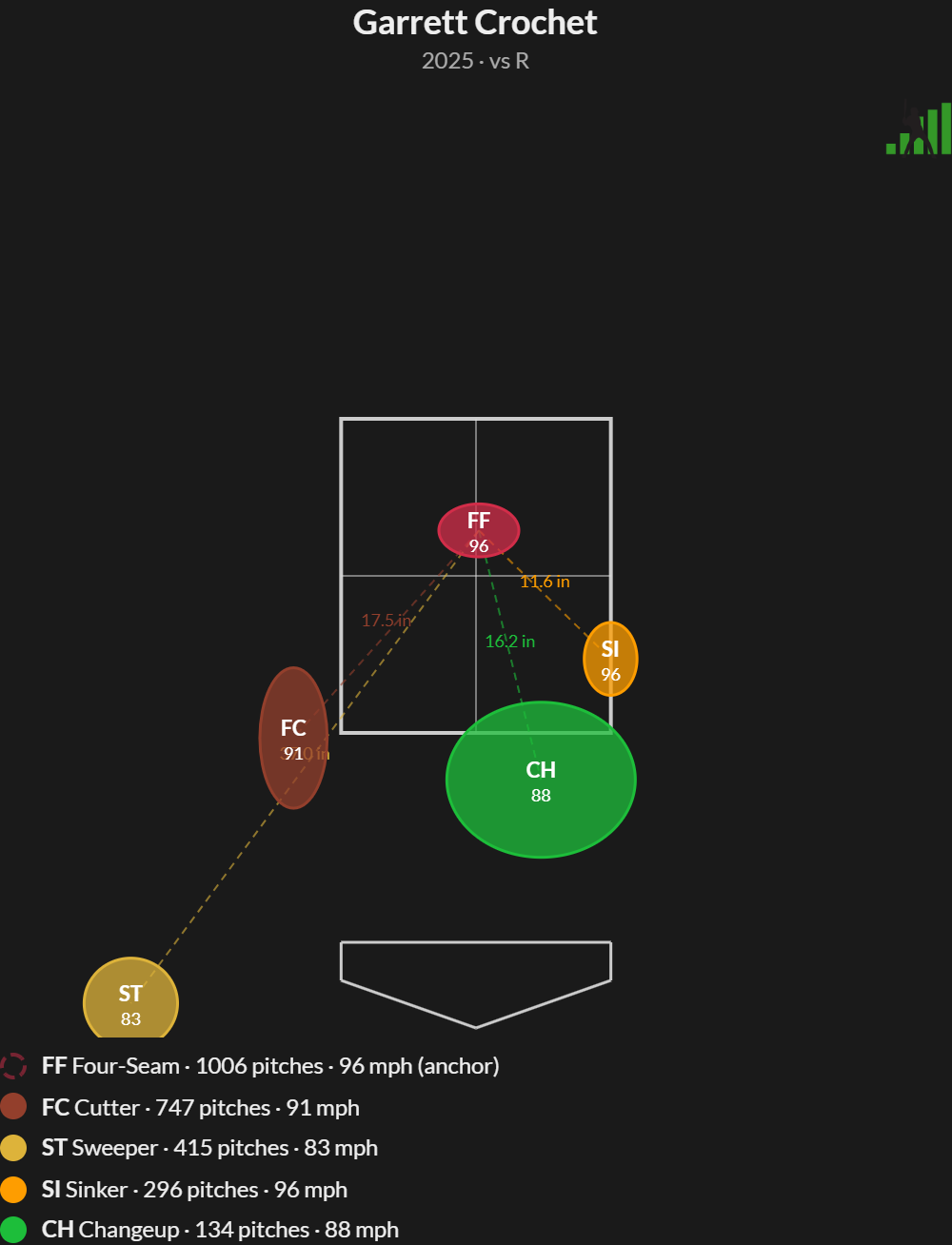
In practice, that’s sometimes but not always how pitchers use their pitches. Pitchers pair some of their pitches, some of the time, and in different combinations. Take Garrett Crochet. He can pair an in-zone fastball with a diving changeup against righties:
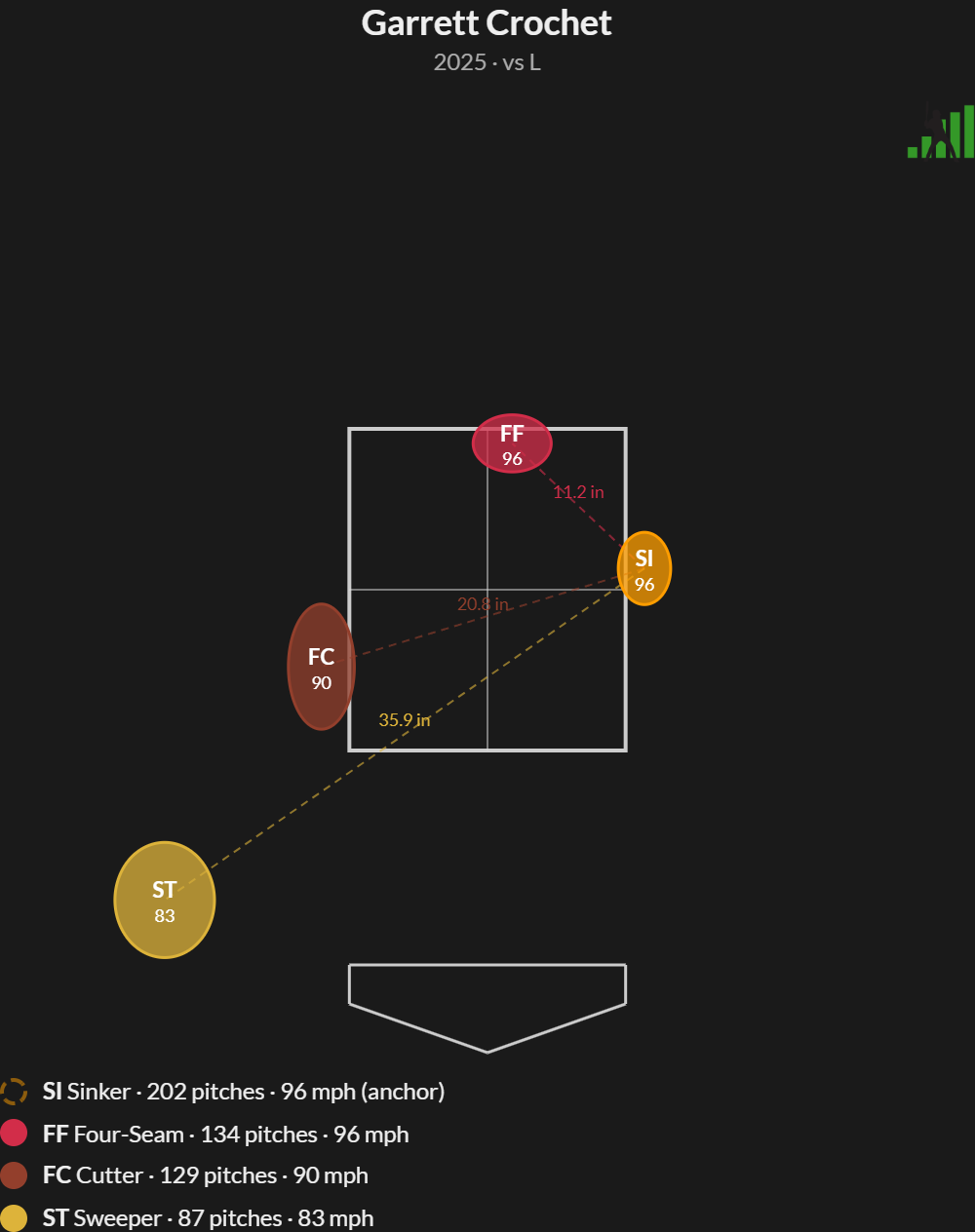
Against lefties, he works off of his sinker, turning the zone into a horizontal nightmare for batters. His sinker lives inside, his sweeper dives away, and he can even use the cutter/sinker pairing to get called strikes on the inner half. The same pitches, paired in different locations, have different effects, which is why you can drag them around in the tool and change anchors:
Now that I’ve shown you how much fun it is to pair pitches and think along with pitchers and catchers, it’s time for a few caveats. This shorthand way of explaining how pitches diverge on their path home isn’t going to explain everything about pitching overnight. Curveballs, in particular, don’t fit into this paradigm well. Pitchers don’t “aim” them, in terms of initial trajectory, at the same spot as their fastballs. Curveballs are so slow that they’d just fall too far on the way home. Instead, pitchers aim at a higher point, which helps explain the distinctive “hump” out of the hand that sometimes helps batters pick them up.
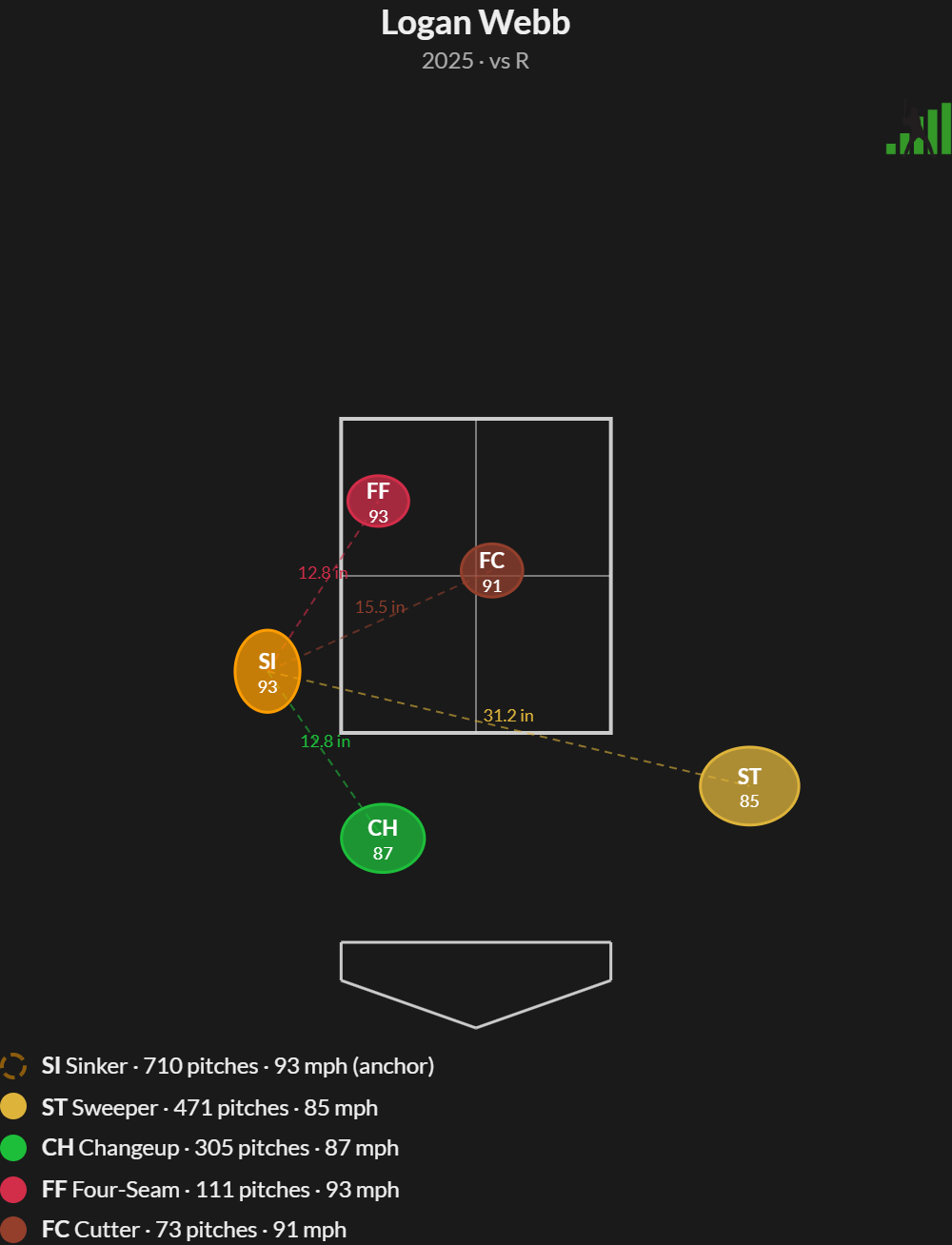
We don’t claim that this tool captures everything about pitch interaction. Pitchers can and do select pitches for how they look compared to one another, but they also employ plenty of other tactics. They might want to throw a pitch on a completely different trajectory than the previous one to change the batter’s eye level. They might want to throw a slider that doesn’t tunnel with anything to take advantage of a batter who doesn’t swing at spin early. But frequently, they want to pair a fastball in with a sweeper away and get batters to swing at both of them:
Below, I’ve compiled a list of tips, tricks, and frequently asked questions from some early testing of this tool:
- Bubble sizes are proportional to the movement variation of each pitch. Pitches with variable movement profiles like splitters and changeups have larger bubbles because their movement is less certain from one pitch to the next. Fastballs tend to have smaller variations in their movement. You can change the bubbles to be baseball-sized in the settings.
- If a pitch isn’t showing up, it’s probably because that pitcher hasn’t thrown enough of them in the filter/time frame you’re looking at. You can lower the minimums in the dropdown.
- This tool, and all Lab tools, now have copy and download options. If you want to share a picture of it, we want you to be able to.
- I think the separation lines look pretty sharp, but they can be toggled off in settings.
- If you’re using this to think like a pitcher, remember that fastballs pair best with different pitches depending on where they’re located.
- Since we’re calculating a lot of pitch metrics and also location, we dynamically calculate vertical approach angle in the Pitch Metrics tab. It’s a great interactive lesson in how much plate location influences approach angle.
- Go look at Nolan McLean’s arsenal. It’s so fun – and this tool explains why he has a hell of a time commanding his curveball.
Sean and I expect to make feature updates to the Paired Pitches tool in the coming weeks and months. This version was good enough to release, but we’re still making improvements of our own. We also want to hear what improvements you’d make, so please give us feedback via the menu that pops up on every Lab page.
Ben is a writer at FanGraphs. He can be found on Bluesky @benclemens.
Holy cow!!