
RosterResource Now Has More Detailed Contract Info!
Following the introduction of contract incentive data last month, the RosterResource payroll pages now have much more detailed player-level contract information! I think we’ve always done a great job of showcasing a team’s payroll calculation, but we’ve lacked detailed information for individual contracts, especially long ones that go beyond the seven-year timeframe displayed on the team payroll pages.
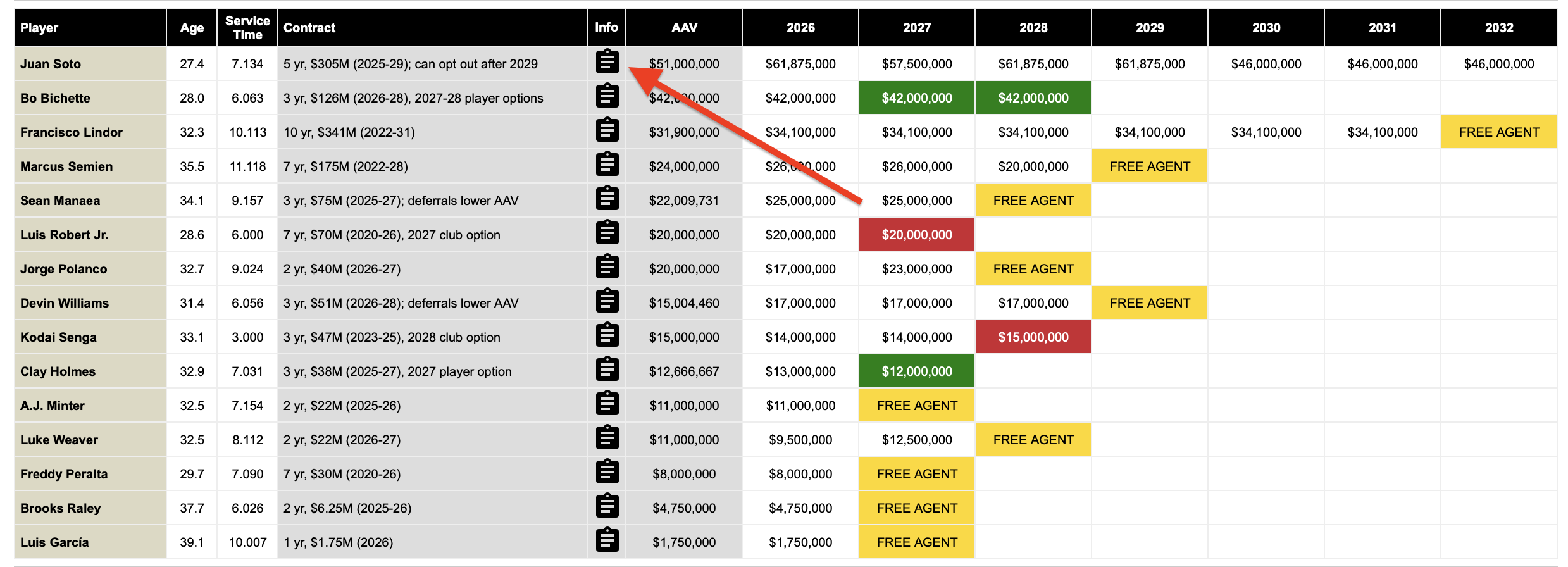
To view a player’s contract information, all you have to do is click on the little clipboard icon next to the Contract column on the team payroll page:
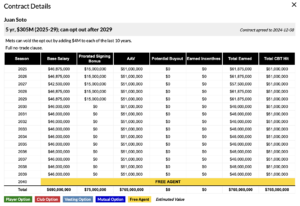
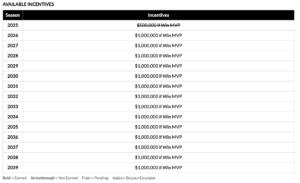
This will open the Contract Details pop-up, which is rich with information specific to that player’s contract, including base salary versus prorated signing bonus, average annual value, and earned incentives:
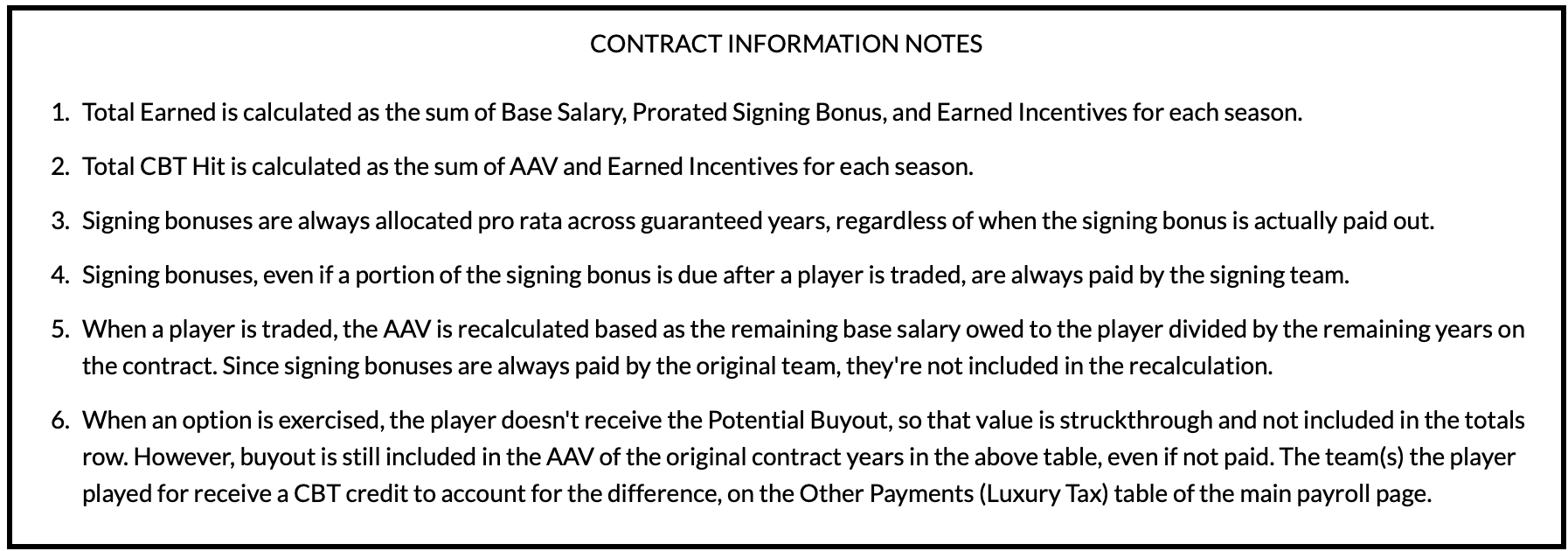
At the bottom of each Contract Details window is a Contract Information Notes box, which provides a “how-to-read” for the tables:
This new feature is particularly helpful for convoluted contracts that require getting into the depths of the Collective Bargaining Agreement and understanding how average annual values are calculated. Take Jack Flaherty, whose contract has a complex AAV recalculation called a “valley charge” because his deal included a 2026 player option:
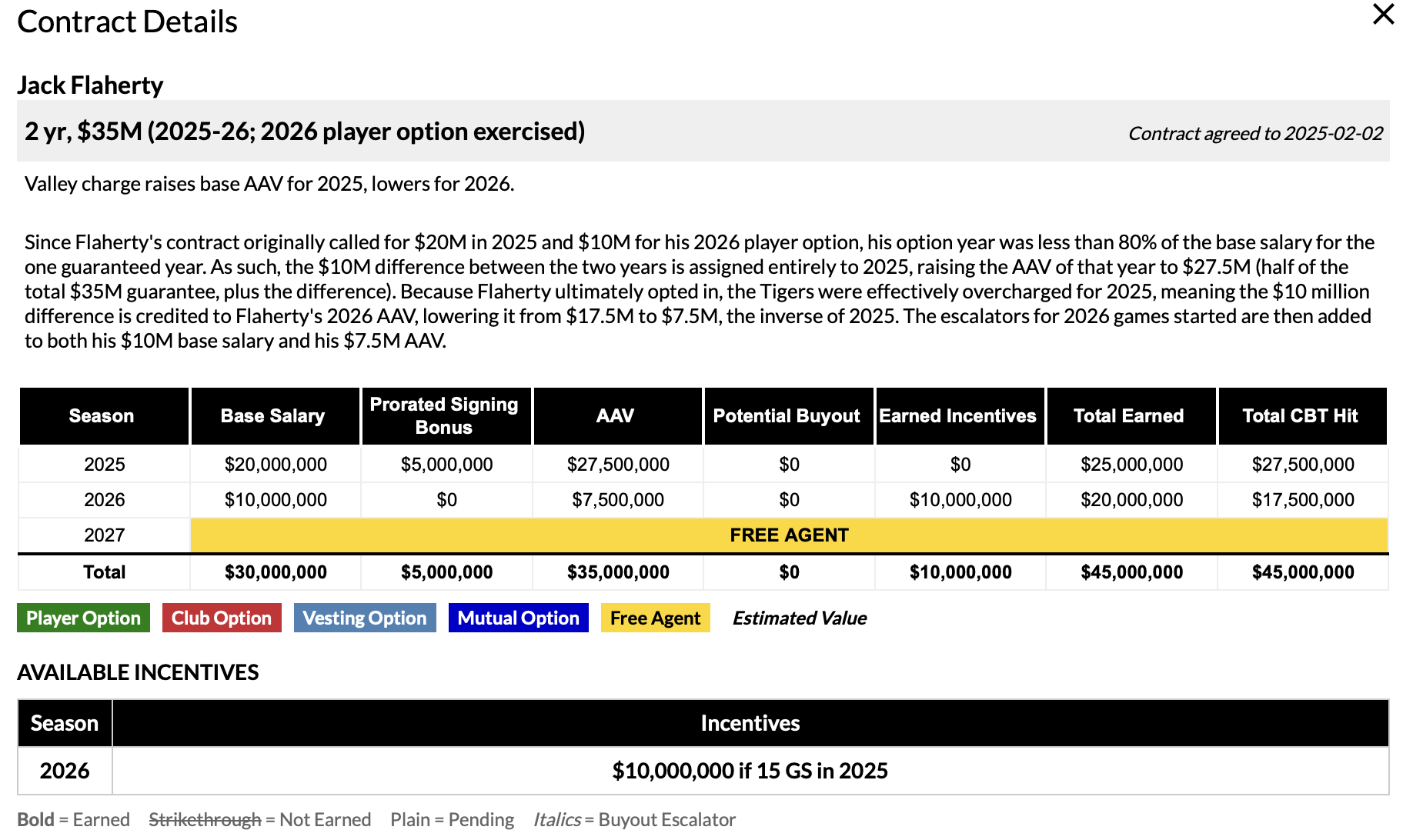
We aren’t done improving how we display contract information, and I’m always trying to think of ways to more clearly explain the intricacies of players’ deals. As always, feedback is much appreciated, so drop a comment here or find me on Twitter (@jonbecker_) or Bluesky (@jon-becker.com) if you have any suggestions or questions.
Jon Becker manages RosterResource's team payroll pages and assists with all other aspects of RosterResource, too. Follow him at your own peril on Twitter at @jonbecker_ and on BlueSky at @jon-becker.com.
This is great!
Maybe I missed it, but does RR have a search function, so I could search for players who are out of options or by 40-man timeline?
We don’t have a direct search function, but you can filter for out of options on the Opening Day Tracker here. I like the 40-man timeline idea (I assume you mean when they have to be added), I’ll add that to the list of feature requests!
What I would really love to see is something where I can pull the last prospect grade (or organizational ranking), 40-man roster timeline, and Rule 5 status. I’ve been asking for this on The Board for years and it’s pretty clear Eric is not going to ever do it. However, it is on the team pages, you just have to look at every single team page and scroll through the whole thing. I’d love to just filter players by R5 Timeline /Status / Options like on the team pages and get their last prospect organizational rank, or something like it.