
RosterResource Now Has More Detailed Contract Info!
Following the introduction of contract incentive data last month, the RosterResource payroll pages now have much more detailed player-level contract information! I think we’ve always done a great job of showcasing a team’s payroll calculation, but we’ve lacked detailed information for individual contracts, especially long ones that go beyond the seven-year timeframe displayed on the team payroll pages.
To view a player’s contract information, all you have to do is click on the little clipboard icon next to the Contract column on the team payroll page:
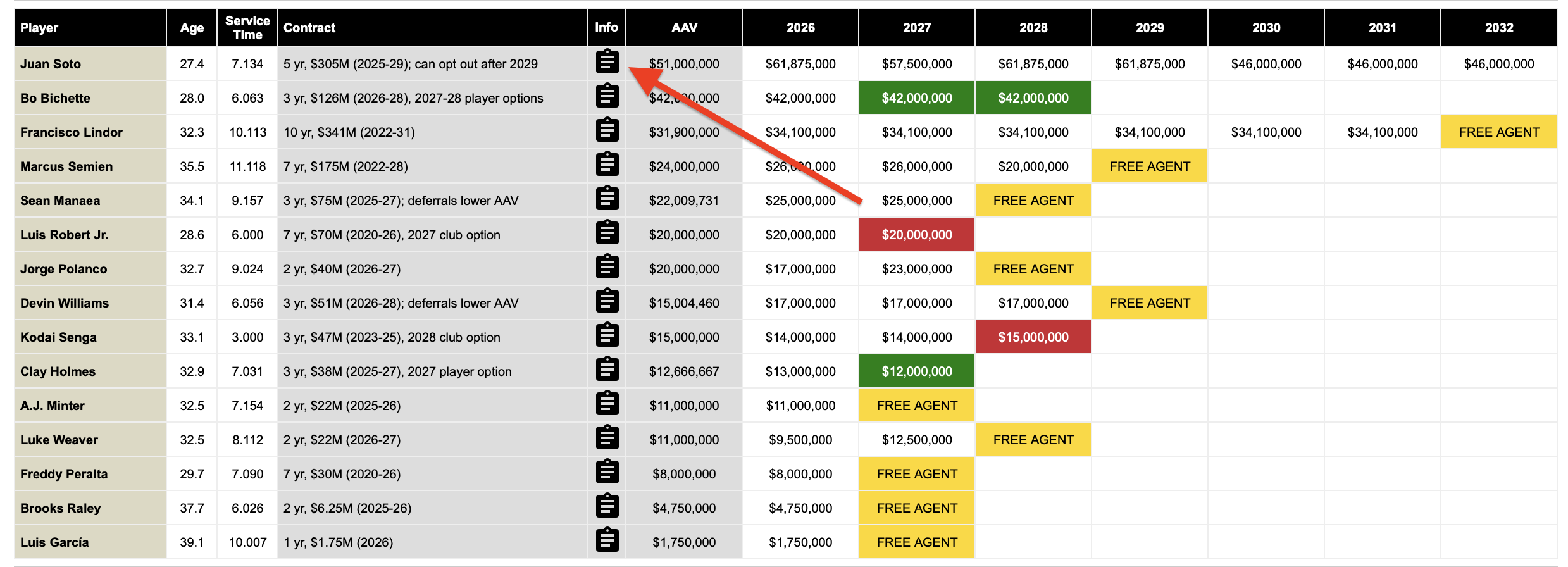
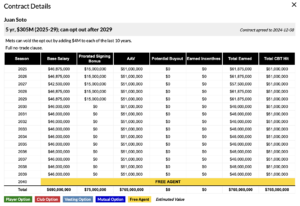
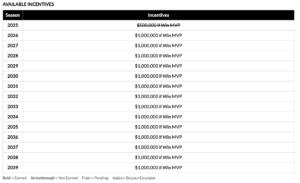
This will open the Contract Details pop-up, which is rich with information specific to that player’s contract, including base salary versus prorated signing bonus, average annual value, and earned incentives:
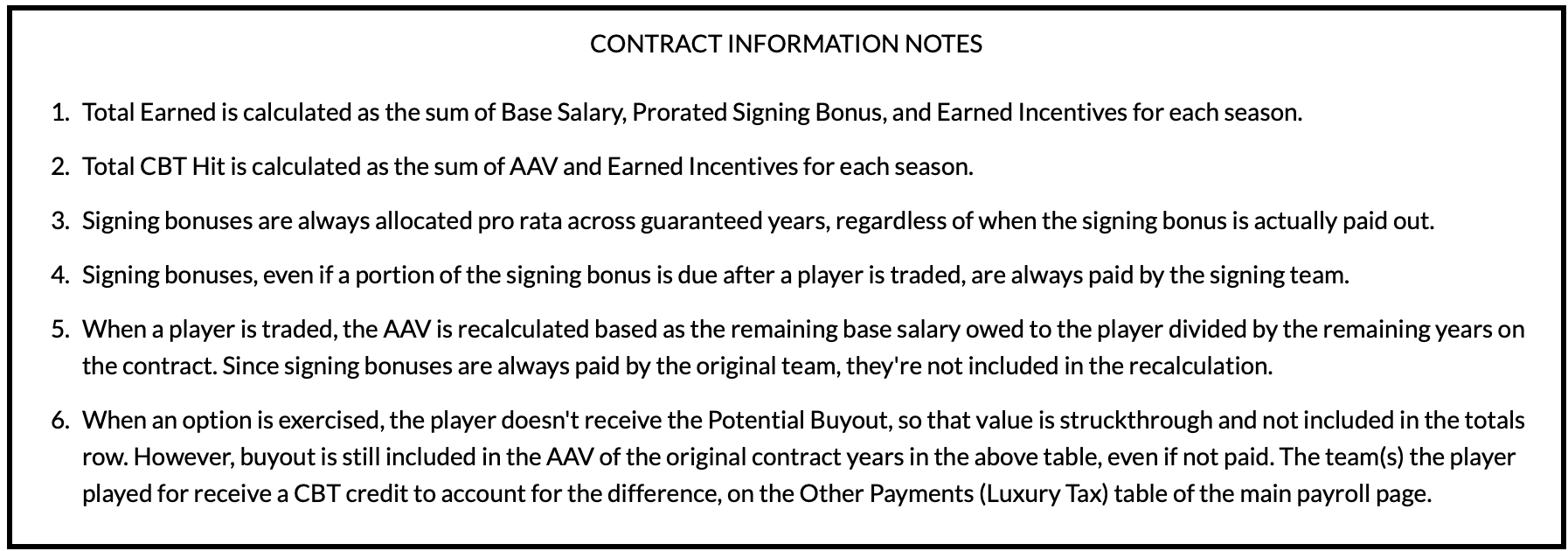
At the bottom of each Contract Details window is a Contract Information Notes box, which provides a “how-to-read” for the tables:
This new feature is particularly helpful for convoluted contracts that require getting into the depths of the Collective Bargaining Agreement and understanding how average annual values are calculated. Take Jack Flaherty, whose contract has a complex AAV recalculation called a “valley charge” because his deal included a 2026 player option:
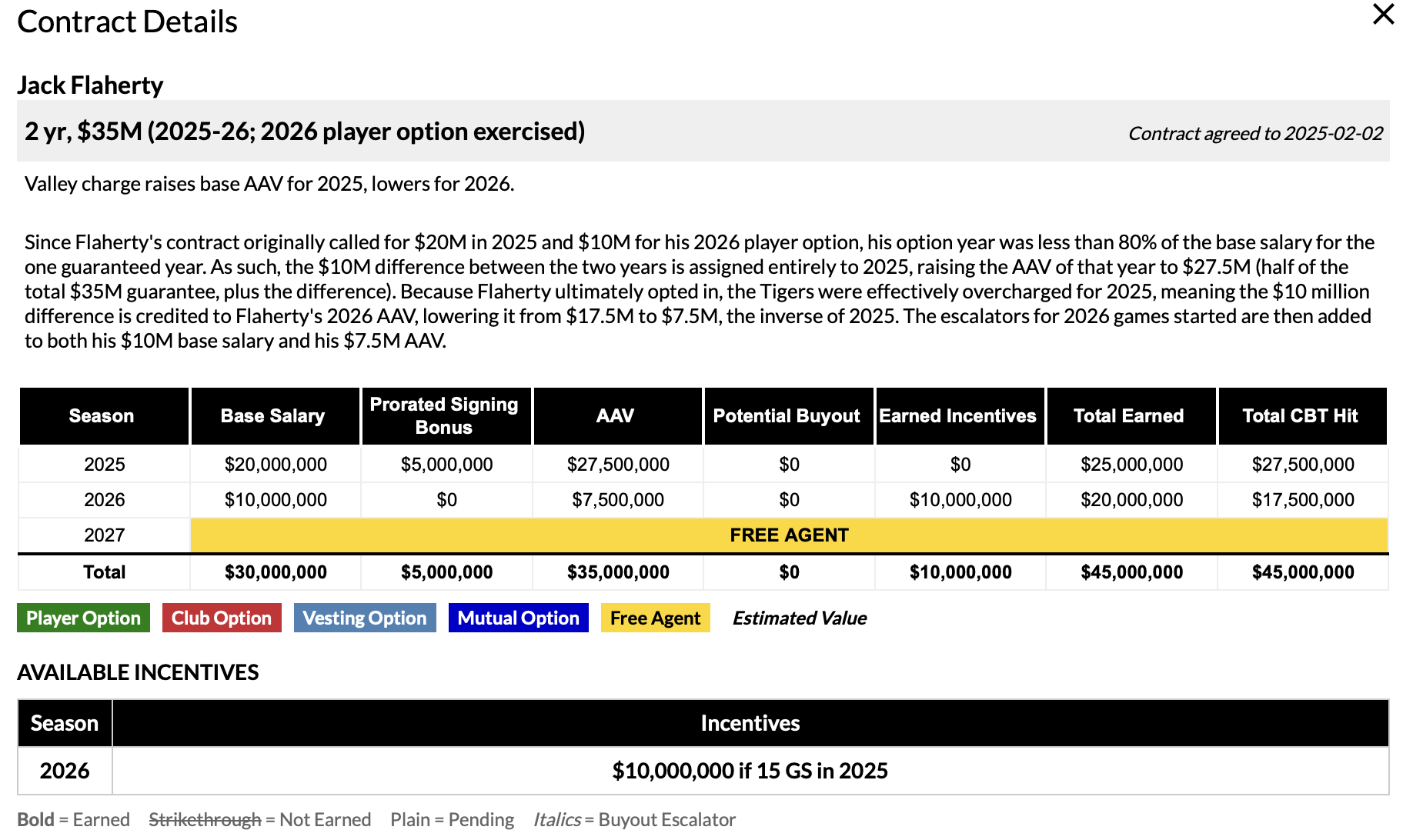
We aren’t done improving how we display contract information, and I’m always trying to think of ways to more clearly explain the intricacies of players’ deals. As always, feedback is much appreciated, so drop a comment here or find me on Twitter (@jonbecker_) or Bluesky (@jon-becker.com) if you have any suggestions or questions.
Jon Becker manages RosterResource's team payroll pages, assists with all other aspects of RosterResource, and also dabbles in creating new features as a Junior Developer. Follow him at your own peril: @jonbecker_ on Twitter and @becker.fangraphs.com on Bluesky.
This is great!
Maybe I missed it, but does RR have a search function, so I could search for players who are out of options or by 40-man timeline?
We don’t have a direct search function, but you can filter for out of options on the Opening Day Tracker here. I like the 40-man timeline idea (I assume you mean when they have to be added), I’ll add that to the list of feature requests!
What I would really love to see is something where I can pull the last prospect grade (or organizational ranking), 40-man roster timeline, and Rule 5 status. I’ve been asking for this on The Board for years and it’s pretty clear Eric is not going to ever do it. However, it is on the team pages, you just have to look at every single team page and scroll through the whole thing. I’d love to just filter players by R5 Timeline /Status / Options like on the team pages and get their last prospect organizational rank, or something like it.
This is wicked, I was literally looking for something like this yesterday!
One of the contract information notes is, “ Signing bonuses are always allocated pro rata across guaranteed years, regardless of when the signing bonus is actually paid out.”
Is there a reason for this? Like if the entire signing bonus was paid out 5 years ago, I don’t understand why it gets applied to the total earned this year. I understand why for AAV or CBT purposes, but not from a LRD standpoint.
I don’t have a good answer for why this is the case, I just know that Article VI (which is outside of the CBA section about the CBT) says “If the contract contains a signing bonus, the bonus, irrespective of payment dates, shall be prorated and included in equal amounts as part of the Base Salary for each year of the contract.” I’m sure teams have their own internal accountings that consider it differently but as best as I’ve been able to determine it gets prorated across non-option years for both LRD and CBT.
I love this, but I think the layout could use some tweaking. In particular, the salary grid has two columns in the middle (potential buyout and earned incentives) that are often just a string of zeroes. It’s a weird use of space.
I really do appreciate the write ups on the most complex contracts. When I saw this was live, the first contract I went to pull up was Julio Rodriguez’s Choose Your Own Adventure extension.